Theme

Only the channels you choose. Nothing else plays.

A kids video app for iPhone and iPad. You approve the YouTube channels and videos; your kids watch only those. No algorithm, no autoplay rabbit holes, and screen time that holds.

Free for one child · Family Plan free for 2 weeks · iPhone & iPad
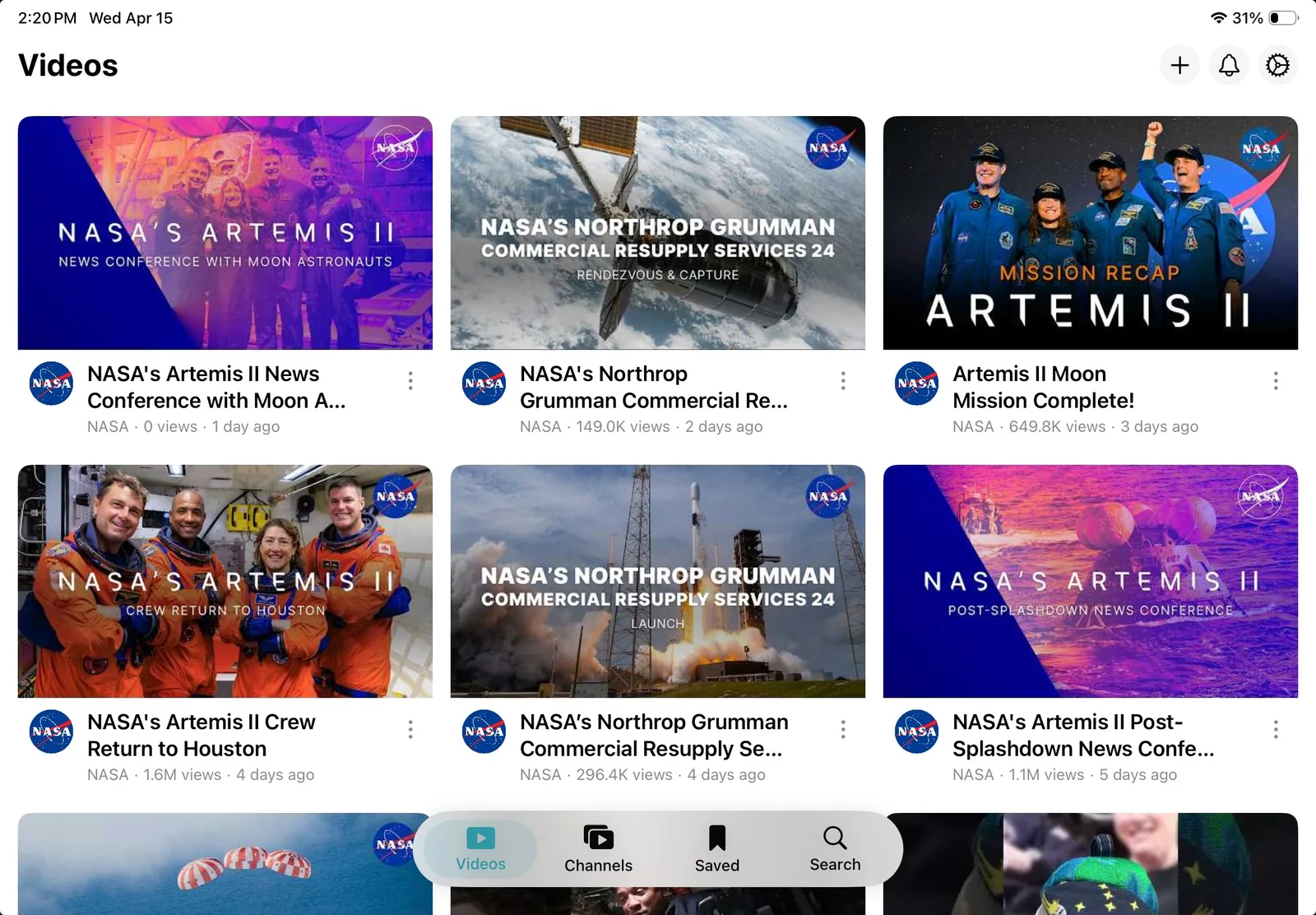
VideoFocus on iPad: a child's library of parent-approved YouTube channels
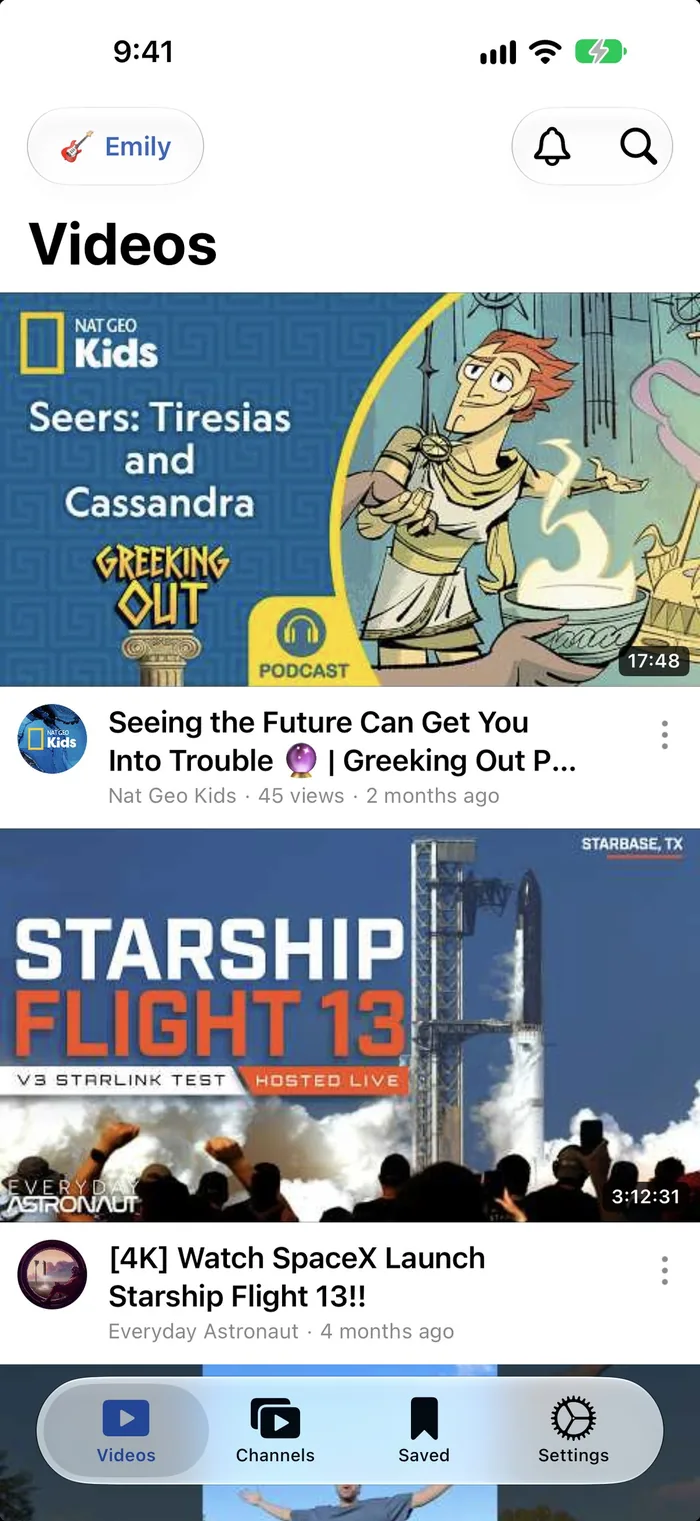
VideoFocus on iPhone showing a child's approved videos
Screen time
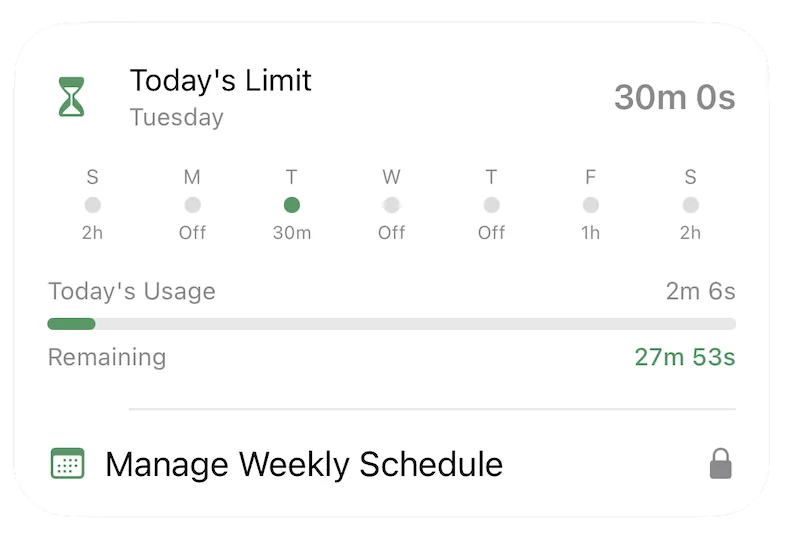
31 min left today
Only the videos
and channels you add
Passcode protected
Why VideoFocus

YouTube is full of great channels. The feed isn't built for kids.

Other apps filter: an algorithm guesses what's appropriate and you block what slips through. VideoFocus chooses: it starts empty and adds only what you approve.

The feed decides

Recommendations pick what's next, and they're tuned to keep kids watching, not to match your rules.

Rabbit holes

Autoplay and Shorts turn one video into an hour, somewhere you never chose.

AI slop

Cheap, auto-generated videos are flooding kids' feeds. Filters miss them. An allowlist can't show what you never added.

Outgrowing "baby YouTube"

By 7 or 8, kids want real channels that YouTube Kids doesn't carry. All of YouTube is too much.

How it works

Three steps to a focused library

Sign in with your email, set a passcode, add what you trust. Setup takes a couple of minutes.

01

You hold the passcode

Set a parent passcode and create a profile for each child. Kids can watch, but only you can add channels and videos, change limits, or open the Family dashboard.

02

Add the channels & videos you trust

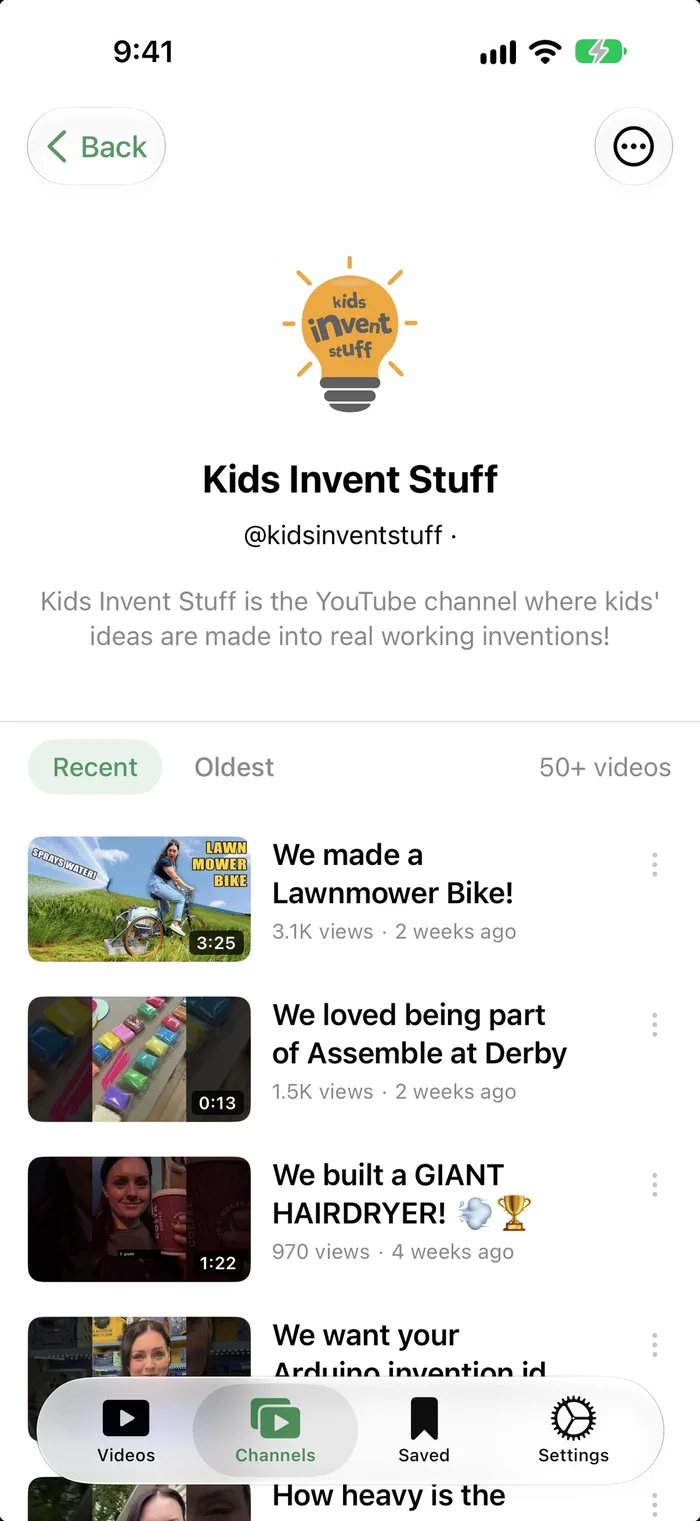
Search YouTube from inside the app and approve whole channels or single videos for each child. Approve a channel once and its new uploads appear. Nothing else does.

03

Set screen time limits

Choose a daily limit for each day of the week and a bedtime. VideoFocus counts the minutes a video is actually playing and locks playback when time is up. Part of the Family Plan.

How it's different

The allowlist YouTube doesn't offer

Google's options filter or block. VideoFocus lets you pick, from any channel.

YouTube KidsSupervised YouTubeVideoFocus
Only the channels you chooseKids catalog onlyNo, block-onlyYes
Any YouTube channelNoYesYes
No recommendation feedOnly in approved modeNoYes
Limits per weekday + bedtimeTimerRemindersYes
On the TVYesYesNo, iPhone & iPad
PriceFreeFreeFree for 1 child; $3.99/mo family
VideoFocus vs YouTube Kids, in detail →
For families

Screen time you can actually enforce

No more "just one more video" negotiations. Set the limits, lock them with a passcode, and let the app handle the rest.

Weekly schedule

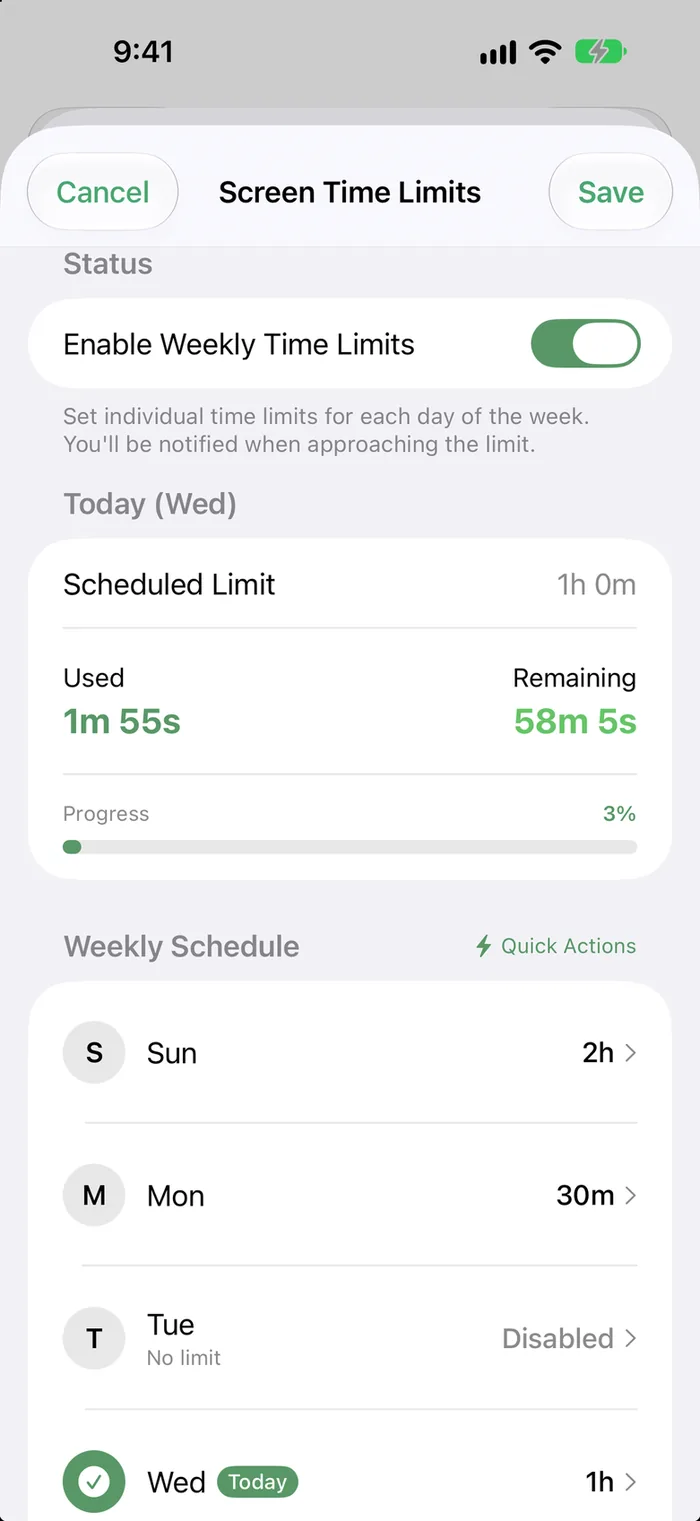
Set different limits for each day of the week. Weekdays 30min, weekends 2 hours — or whatever fits your family.

Lockout and bedtime

A warning at 90%, then playback locks when the limit is reached. Set a bedtime and the app locks overnight too.

Extra time when you say so

Kids can ask for more time. You enter the passcode, they get 15 extra minutes. You stay in control.

VideoFocus screen time settings for a child
VideoFocus today's screen time widget
For focus

YouTube without the algorithm

No recommendations. No trending tab. Just the channels and videos you chose, in a clean grid.

Your library, not YouTube's

Only the channels and videos you added appear. Nothing is suggested or recommended by an algorithm.

Favorites & playlists

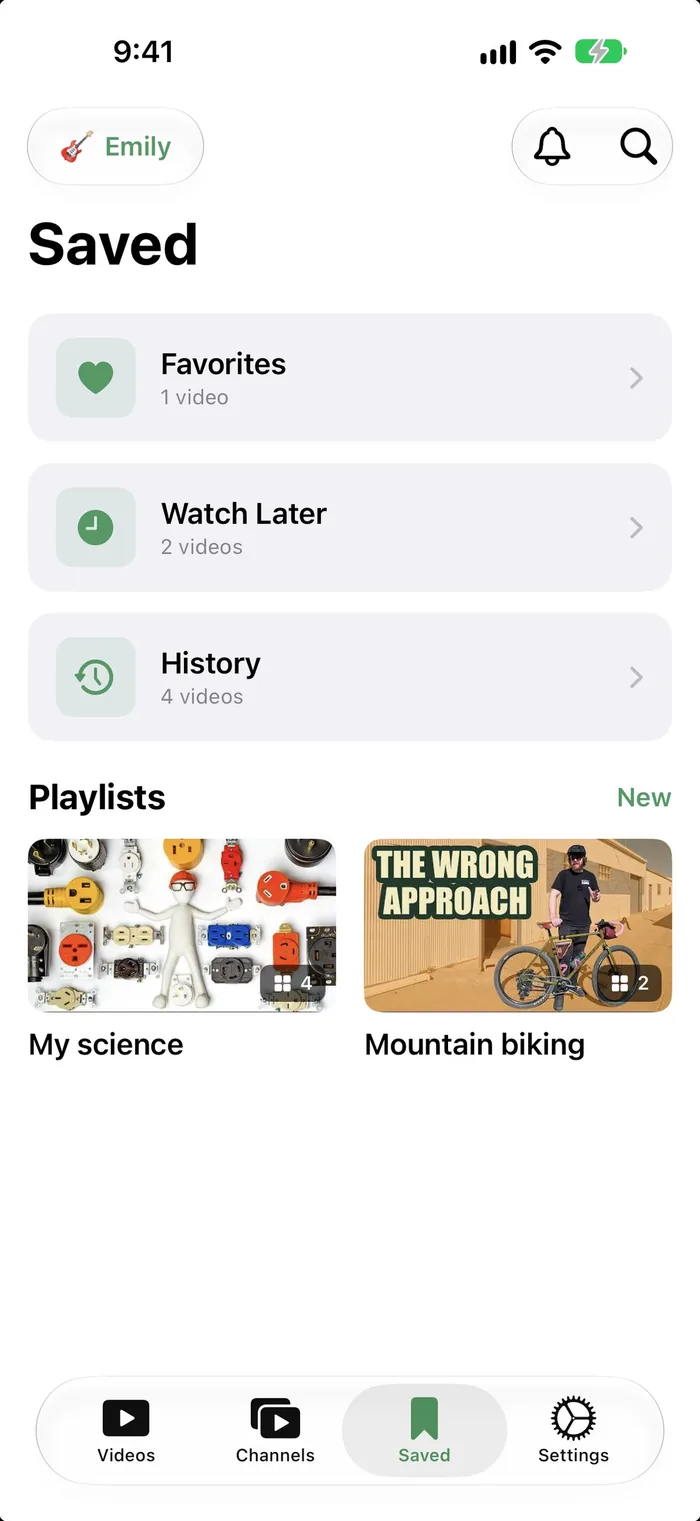
Mark favorites, save for later, create custom playlists. Organize content your way.

Themes & accent colors

Light, dark, or system theme with accent colors to match your style.

An approved channel's videos in VideoFocus
VideoFocus Saved tab with favorites and playlists
Everything included

Built to do one thing well

Weekly Limits

Per-day schedule with hard lockout when the time is up.

Parental Passcode

A 4- or 6-digit passcode protects settings, limits, and content changes.

Clean Player

YouTube's official player, with no comments, no sidebar, and no recommendations.

Smart Search

Search your library by title or channel. Voice search included.

Favorites & Watch Later

Quick-save videos with one tap. Build your personal queue.

Custom Playlists

Create themed collections. Organize learning, entertainment, and more.

Watch History

Track what was watched and when. Transparent viewing activity.

Child Profiles

Each child gets their own library, history, and limits.

iPhone & iPad, in sync

Set things up on your phone; changes reach your kids' iPads.

Pricing

Free to start. One plan for the whole family.

Watching, searching, and adding channels and videos are free, always.

Free

$0
  • One child profile
  • One device
  • Unlimited approved channels and videos
  • Favorites, Watch Later, playlists, and watch history
  • Parent passcode

Prices in US dollars; App Store pricing varies by country. The subscription renews automatically until you cancel in your Apple ID settings. See our Terms.

FAQ

Questions parents ask

Is VideoFocus the same as YouTube Kids?

No. VideoFocus is an independent app. YouTube Kids filters a kids catalog for you; VideoFocus starts empty and plays only the YouTube channels and videos you add, from all of YouTube. VideoFocus is not affiliated with or endorsed by YouTube or Google. Full comparison.

Which YouTube channels can I add?

Any public YouTube channel or video. Search inside the app's parent area and approve whole channels or single videos for each child. A few videos are set by their creators to block playback outside YouTube; those won't play in any app.

Do new videos from an approved channel show up automatically?

Yes. Approving a channel unlocks its whole catalog, including new uploads, so you don't have to approve videos one at a time.

Does VideoFocus block YouTube Shorts?

There's no Shorts feed and no swiping in VideoFocus. If a channel you approve posts Shorts, those can appear among that channel's videos, like its other uploads.

Will my child see ads?

VideoFocus shows no ads of its own and has no trackers or third-party analytics. Videos play in YouTube's official player, which can show YouTube's own ads.

What ages is it for?

Toddlers to teens. Each child gets their own profile, library, limits and watch history, so a 4 year old and an 11 year old can each have the right channels.

How is it different from Screen Time or Family Link?

Screen Time can limit or block YouTube as a whole but can't choose channels. Supervised YouTube through Family Link can block channels but not allow only certain ones. VideoFocus is the allowlist; Screen Time keeps the YouTube app and browsers off the device. Screen Time · Family Link.

Does it work on Android or on the TV?

No. VideoFocus is for iPhone and iPad (iOS 17.5 or later), synced across your family's devices.

What does it cost?

Watching, searching and adding channels are free, always. The free version covers one child on one device. The Family Plan adds a profile for every child, every device, and screen time limits and bedtime for $3.99 a month or $39.99 a year, with a two-week free trial.

Why does youtube.com need to be allowed on my child's device?

The official YouTube player loads from youtube.com. If you use Screen Time's website restrictions, add www.youtube.com. What that opens up, and how to keep it tight.

I'm a mom and an iOS developer. I built VideoFocus because every kids' video app I tried worked the same way: an algorithm decided what was fine, and I found out what it missed after my kids had watched it.

I wanted the opposite. Start with nothing, add the channels I trust, and let my kids explore freely inside that. No feed, no arguments at bedtime. It's the app I use at home.

It's the same idea as my other app, PodFocus, which does this for podcasts.

Marcelina, founder of VideoFocus

Also from us

PodFocus: the same idea, for podcasts

Every show your kid hears is one you approved. A curated catalog of kid-safe podcasts, a profile for each child from preschool to teen, daily listening limits and a parent PIN. For older kids, you can approve grown-up podcasts one at a time. Offline downloads for the car. Free, with no ads in the app and no subscription.

Guides for parents

Straight answers about YouTube, iPads and screen time

All guides →

Your library. Your rules.
Your time.

Free on the App Store for iPhone and iPad. Family Plan free for two weeks.

Requires iOS 17.5 or later