Theme

Videos, on your terms.

You choose the channels. Great for families and focused grownups. No comments, no algorithm, no recommendations.
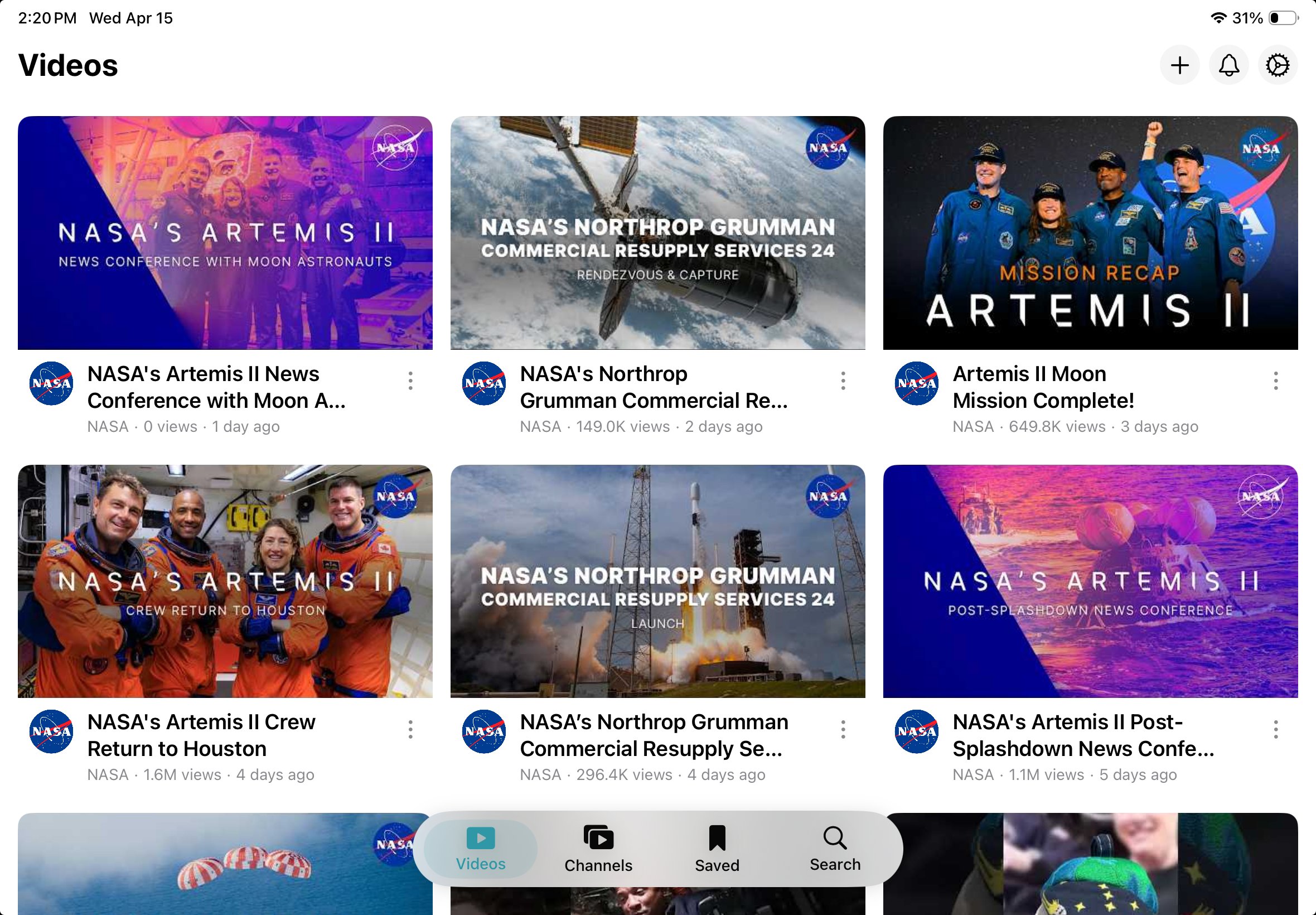
VideoFocus on iPad showing curated video grid
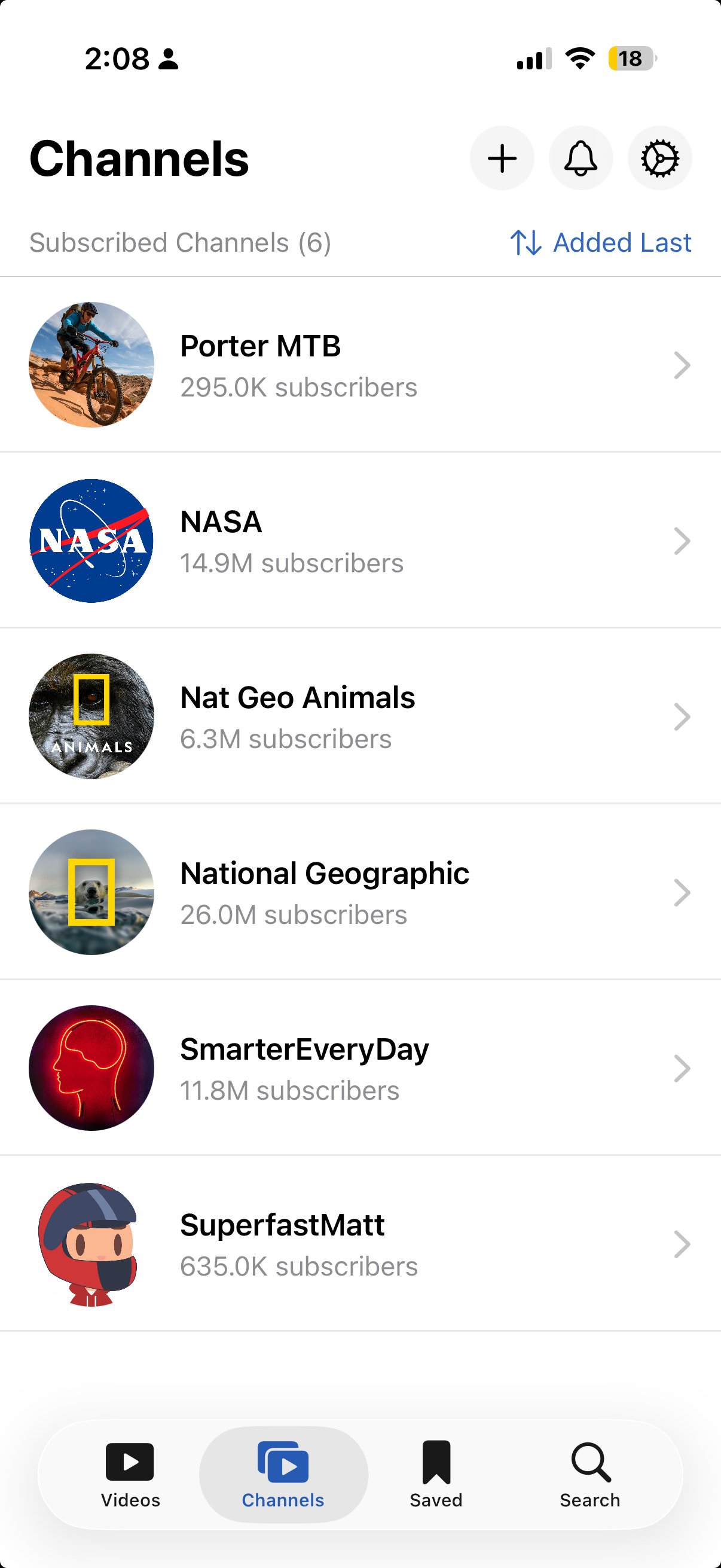
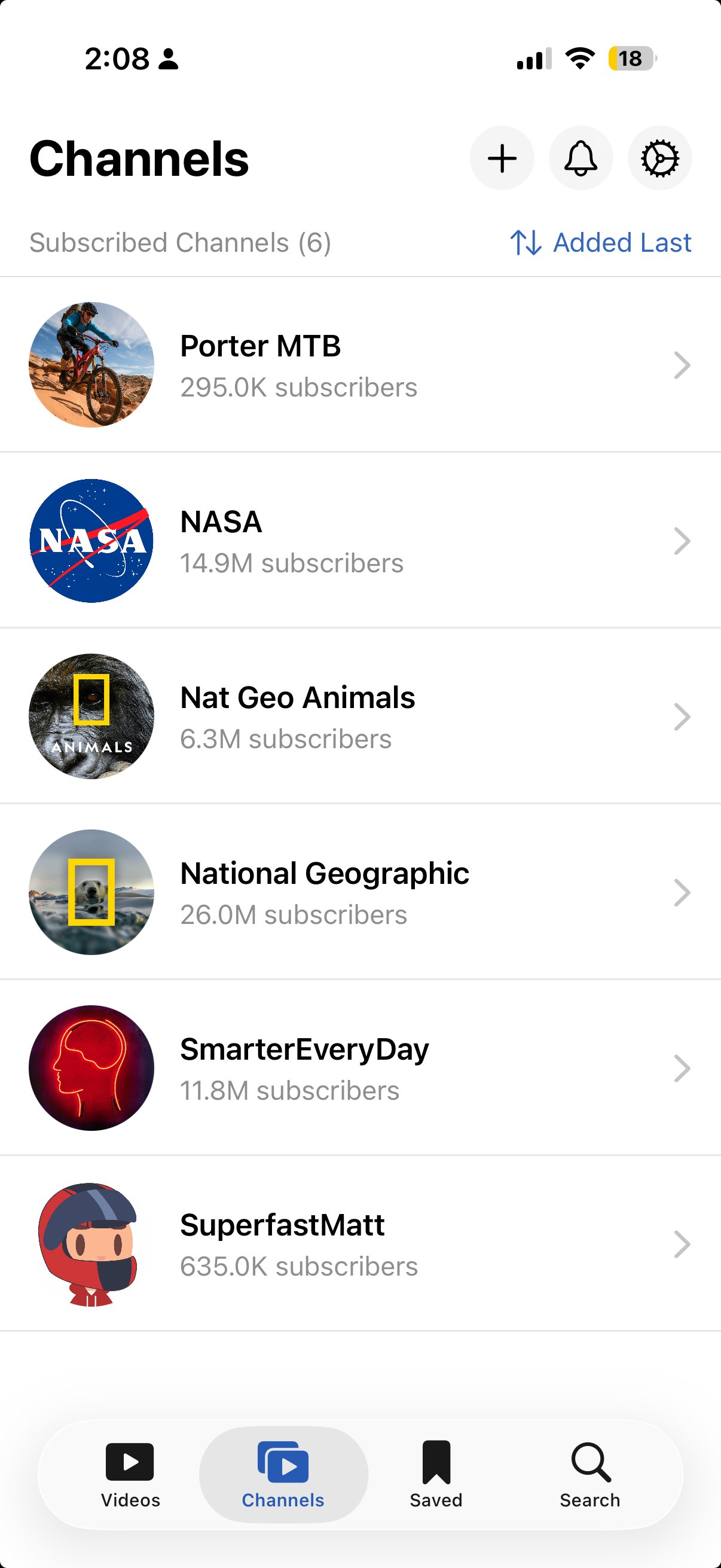
VideoFocus on iPhone showing channel list
Screen time
31 min left today
Only the videos
and channels you add
Passcode protected
How it works

Three steps to a focused library

No setup wizards. No onboarding flows. Just add, set, and watch.

01

Lock it down (or don't)

Set up a parental passcode that puts you in charge. Only you can add channels, set screen time limits, and clear watch history. Or skip the passcode and use VideoFocus as a personal distraction-free player.

02

Add the channels & videos you trust

Search YouTube from inside the app. Subscribe to channels, save individual videos, build playlists, and mark favorites or Watch Later. Only what you add appears — nothing else.

03

Set screen time limits

Choose different daily limits for each day of the week. The app tracks viewing and locks playback when the limit is reached.

For families

Screen time you can actually enforce

No more "just one more video" negotiations. Set the limits, lock them with a passcode, and let the app handle the rest.

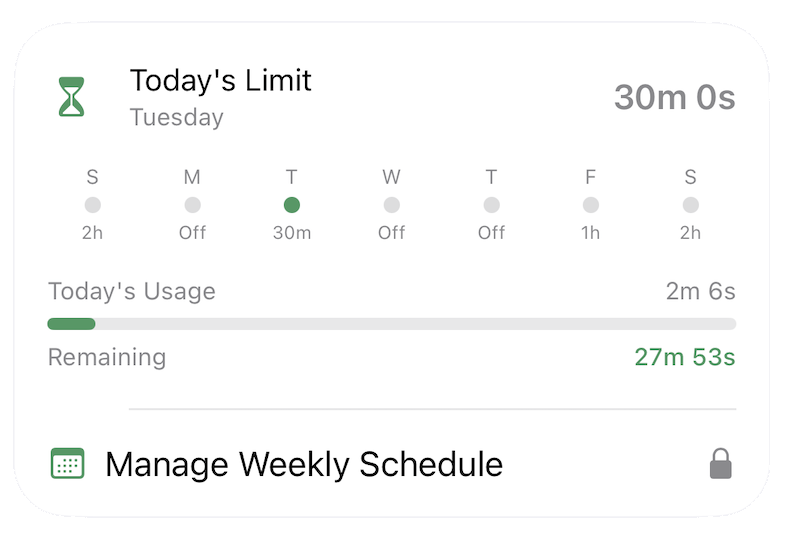
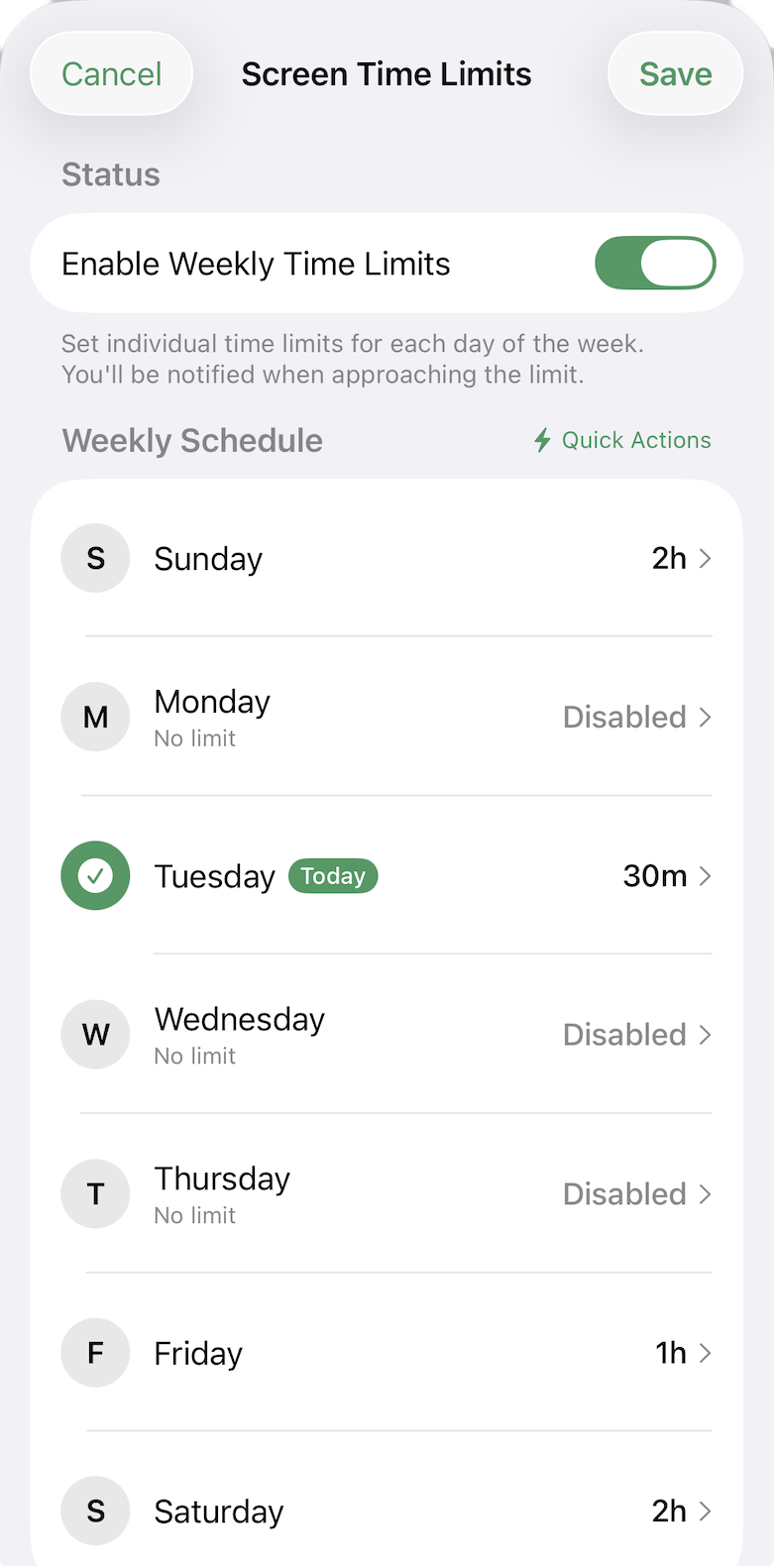
Weekly schedule

Set different limits for each day of the week. Weekdays 30min, weekends 2 hours — or whatever fits your family.

Hard lockout

At 100%, the app locks. A 90% warning gives a heads-up. No workarounds, no loopholes.

Extra time on request

Kids can request more time. You enter the passcode, they get 15 extra minutes. You stay in control.

VideoFocus Screen Time Limits weekly schedule
VideoFocus today's screen time widget
For focus

YouTube without the algorithm

No recommendations. No trending tab. Just the channels and videos you chose, in a clean grid.

Your library, not YouTube's

Only your subscribed channels and saved videos appear. Nothing is suggested, recommended, or auto-played.

Favorites & playlists

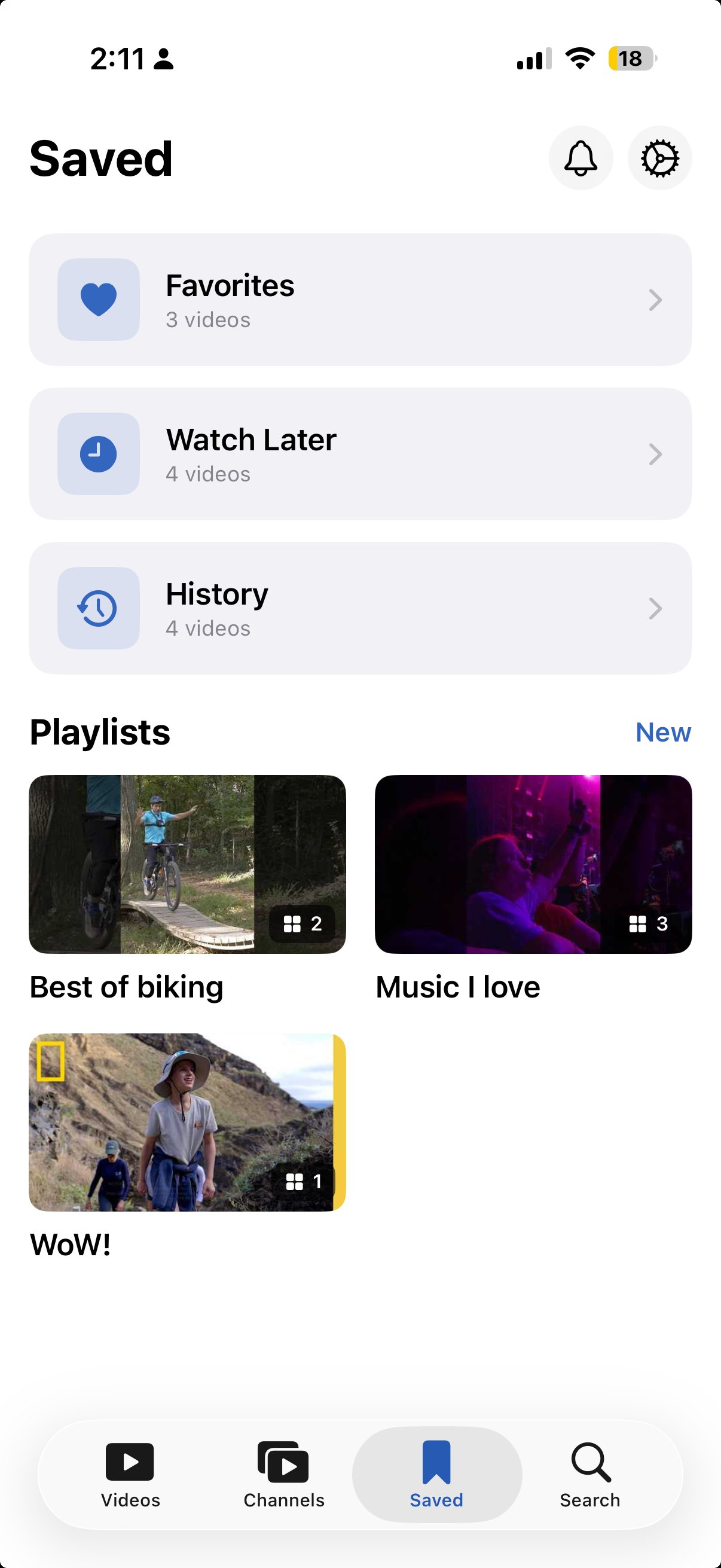
Mark favorites, save for later, create custom playlists. Organize content your way.

Themes & accent colors

Light, dark, or system theme with accent colors to match your style.

VideoFocus Channels list
VideoFocus Saved tab with playlists
Everything included

Built to do one thing well

Weekly Limits

Per-day schedule with hard lockout when the time is up.

Parental Passcode

4-character code protects settings, limits, and content changes.

Clean Player

Native playback with no ads UI, no sidebar, no distractions.

Smart Search

Search your library by title or channel. Voice search included.

Favorites & Watch Later

Quick-save videos with one tap. Build your personal queue.

Custom Playlists

Create themed collections. Organize learning, entertainment, and more.

Watch History

Track what was watched and when. Transparent viewing activity.

Themes

Light, dark, or system. Accent colors to make it yours.

iPhone & iPad

Responsive layouts optimized for every screen, portrait and landscape.

Your library. Your rules.
Your time.

Find VideoFocus on the App Store for iPhone and iPad.

Requires iOS 17.5 or later